Nova Video Player — MKV & 4K

Play anything. Cast anywhere. Understand everything.

A premium media player built for macOS. Nova opens the formats other players refuse, sends them to any TV in the house, and uses AI to let you search, translate and summarise what you are watching.

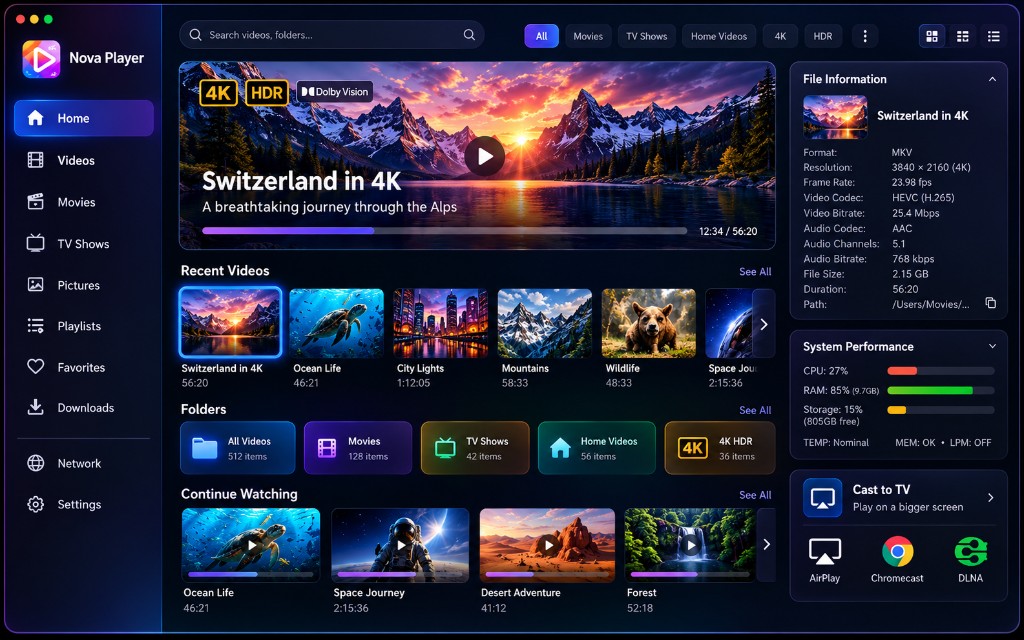
The Nova Player home screen showing the media library, continue watching, file information and cast devices.
19+
Video containers
4K
HDR, hardware decoded
3
Casting protocols
38
Interface languages
Three pillars

One app, three pieces of serious engineering

Most players stop at playback. Nova treats compatibility, casting and comprehension as first-class problems and solves each one properly.

01

Nova Player

A libmpv playback core with FFmpeg demuxers and VideoToolbox hardware decoding. Local video never goes through AVPlayer, which is why MKV, HEVC, AV1 and 10-bit HDR simply open.

  • Frame-by-frame stepping and A-B repeat
  • 0.25× to 4× speed without pitch artefacts
  • Aspect, crop, zoom, rotate, flip, colour, deinterlace
02

Nova Cast+

AirPlay, Chromecast and DLNA in one Cast button. Nova inspects what your TV can actually decode and picks the cheapest route that will play — no guesswork, no stutter.

  • Direct Play first, remux second, transcode last
  • Standards-based discovery, no per-brand hacks
  • Temporary local-network server, closed when you stop
03

Nova AI

Video intelligence that lives inside the player. Ask a question, search a scene, generate chapters or translate speech live — all without pausing what you are watching.

  • Bring your own API key, or run entirely on-device
  • Answers come back as clickable timestamps
  • Analysis is cached locally and never re-run needlessly
Compatibility

If it is a video file, Nova opens it

Nova ships the FFmpeg demuxer and decoder set rather than relying on the system frameworks, so the awkward files — the 4K HDR remux, the anime release with ASS subtitles, the camera MTS clip — behave like any other.

Containers

MKVMP4AVI MOVM4VWebM FLVWMVTS MTSM2TSMPEG MPGVOB3GP ASFOGVRM RMVB

Video codecs

H.264 / AVCH.265 / HEVC AV1VP9VP8 MPEG-4MPEG-2

Audio codecs

AACMP3AC3 E-AC3FLACALAC OPUSOGGWAV WMAM4ADTS

Up to 4K HDR

720p through 2160p, high-bitrate remuxes and HDR sources, tone-mapped cleanly when your display cannot show them natively.

Apple Silicon native

VideoToolbox hardware decoding keeps a 4K HEVC stream at a few percent of CPU, so the fans stay off and the battery lasts.

Every track, switchable

Multiple audio and subtitle tracks are listed with language and codec, and you can change them mid-playback.

Open it any way

Drag and drop a file or a whole folder, open a URL, load an HTTP stream, or point Nova at a playlist file.

Nova Cast+

The Cast button that actually works

Casting usually fails for a boring reason: the TV cannot decode one of the tracks. Nova asks the device what it supports, compares that against your file, and fixes only the part that is broken.

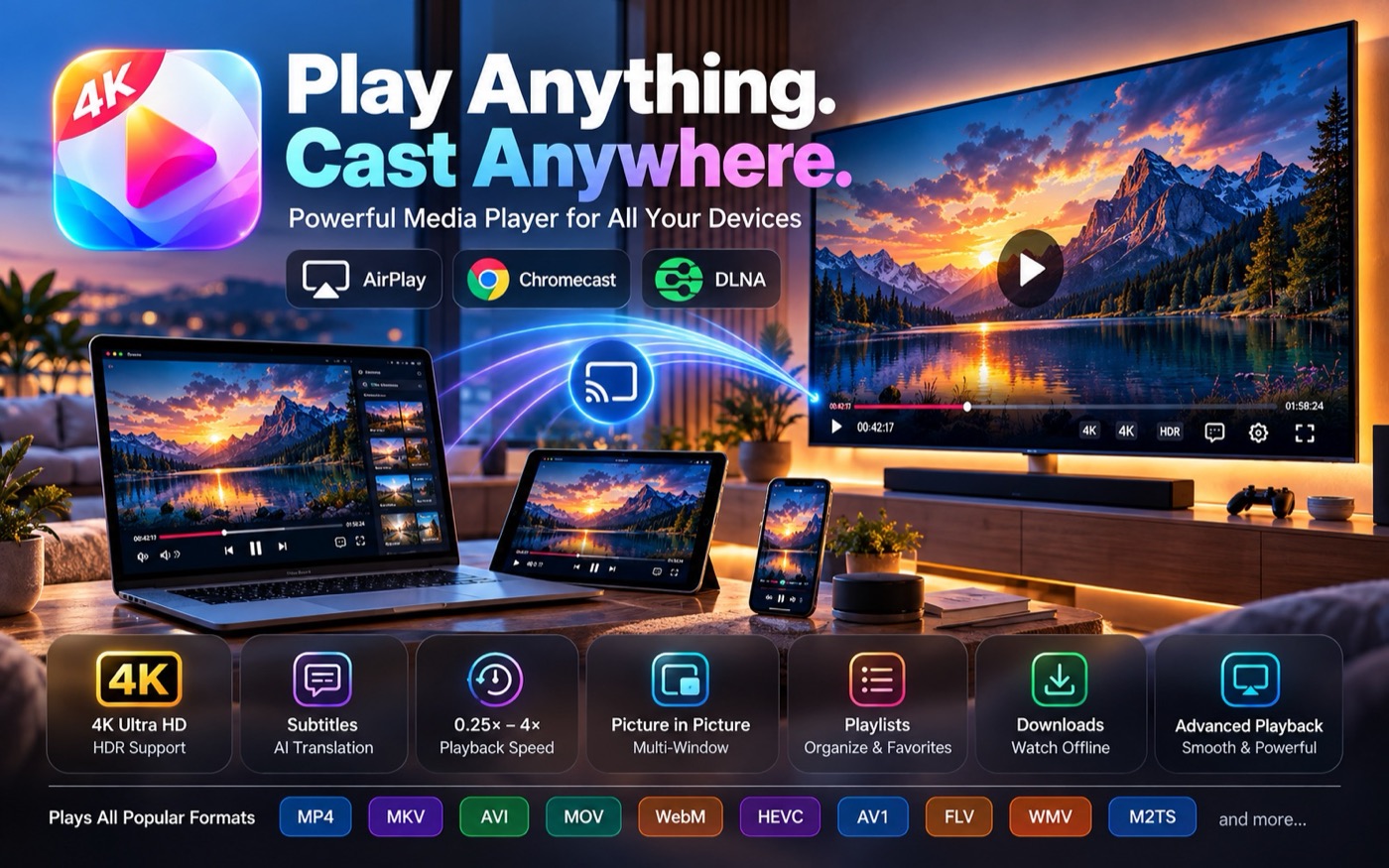
Nova Player casting a 4K video from a Mac to a television, with AirPlay, Chromecast and DLNA badges.
  • Apple TV and AirPlay receivers
  • Chromecast, Google TV, Android TV
  • DLNA and UPnP media renderers
  • Connect, seek, volume and device switching
  • Audio converted without re-encoding video
  • Subtitles converted or burned in as needed
Nova AI

Stop scrubbing. Start asking.

Nova builds a local intelligence index for a video — transcript, scenes, on-screen text, chapters, topics — then lets you interrogate it in plain language. Every answer is a timestamp you can click.

Ask This Video

“Where do they discuss artificial intelligence?” Nova answers with a short explanation and a list of timestamps. Click one and the player jumps straight there.

Live subtitles & translation

Speech recognition generates timed subtitles for footage that never had any, then translates them on the fly. Show the original, the translation, or both at once.

Visual & OCR search

“Find the red car.” “Find the slide about neural networks.” Nova searches the images and the text inside the frames, not just the transcript.

Magic Timeline

Nova works out a video's structure — intro, background, demonstration, conclusion — and draws those chapters directly onto the scrub bar.

Smart Watch

Turn a two-hour recording into a twenty-minute viewing. Nova assembles a virtual sequence of the important sections and skips the rest. Your file is untouched.

Smart Audio

Dialogue enhancement, noise reduction, voice isolation and a night mode that tames explosions without burying the conversation.

Everyday use

Built for the way you actually watch

Continue Watching

Nova remembers where you stopped and offers to resume from the exact second — or start over, if you would rather.

A library that stays put

Point Nova at your folders and it builds thumbnails, durations and progress around them. It never moves, renames or modifies a single file.

Subtitles done right

SRT, ASS, SSA, VTT, SUB and IDX, embedded or dragged in. Control font, size, weight, colour, outline, background, position, encoding and delay. Dual subtitles supported.

Ten-band equaliser

Flat, Movie, Music, Voice, Bass Boost, Treble Boost and Night Mode presets, plus your own. Audio delay and normalisation for out-of-sync rips.

Playlists you can manage

Add files or folders, drag to reorder, shuffle, repeat, queue up next, then save the playlist and load it again later.

Screenshots & contact sheets

Capture or copy the current frame, take screenshots at an interval, or generate a contact sheet of thumbnails across the whole video.

Technical detail on tap

Container, resolution, frame rate, codecs, channels, bitrate, HDR metadata and every track, laid out in an elegant File Details card.

Keyboard first

Space, arrows, F, M, P and ⌘O behave exactly as they should on a Mac. ⌘⇧A opens Nova AI. Every shortcut is customisable.

Downloads for offline

Queue a network source and Nova fetches it to your Mac, with progress you can watch and a library entry waiting when it finishes.

Favourites

Mark the films, albums and lectures you return to and they stay one click away on the home screen, separate from whatever you watched last.

Network sources

Open a URL or an HTTP stream directly, or reach media shared elsewhere on your network, without copying anything locally first.

38 languages

Nova is fully localised, right-to-left layouts included, with the interface language following your system or your own choice.
Nova is not an IPTV application

Nova does not provide, host or resell television channels, films or series. There are no IPTV playlists, no Xtream Codes, no MAC portals and no EPG. Nova plays the media you already own — files on your Mac, on your network, or at a URL you supply.

Privacy

Your media stays yours

Nova is a local application that happens to have AI in it, not a service that happens to play video.

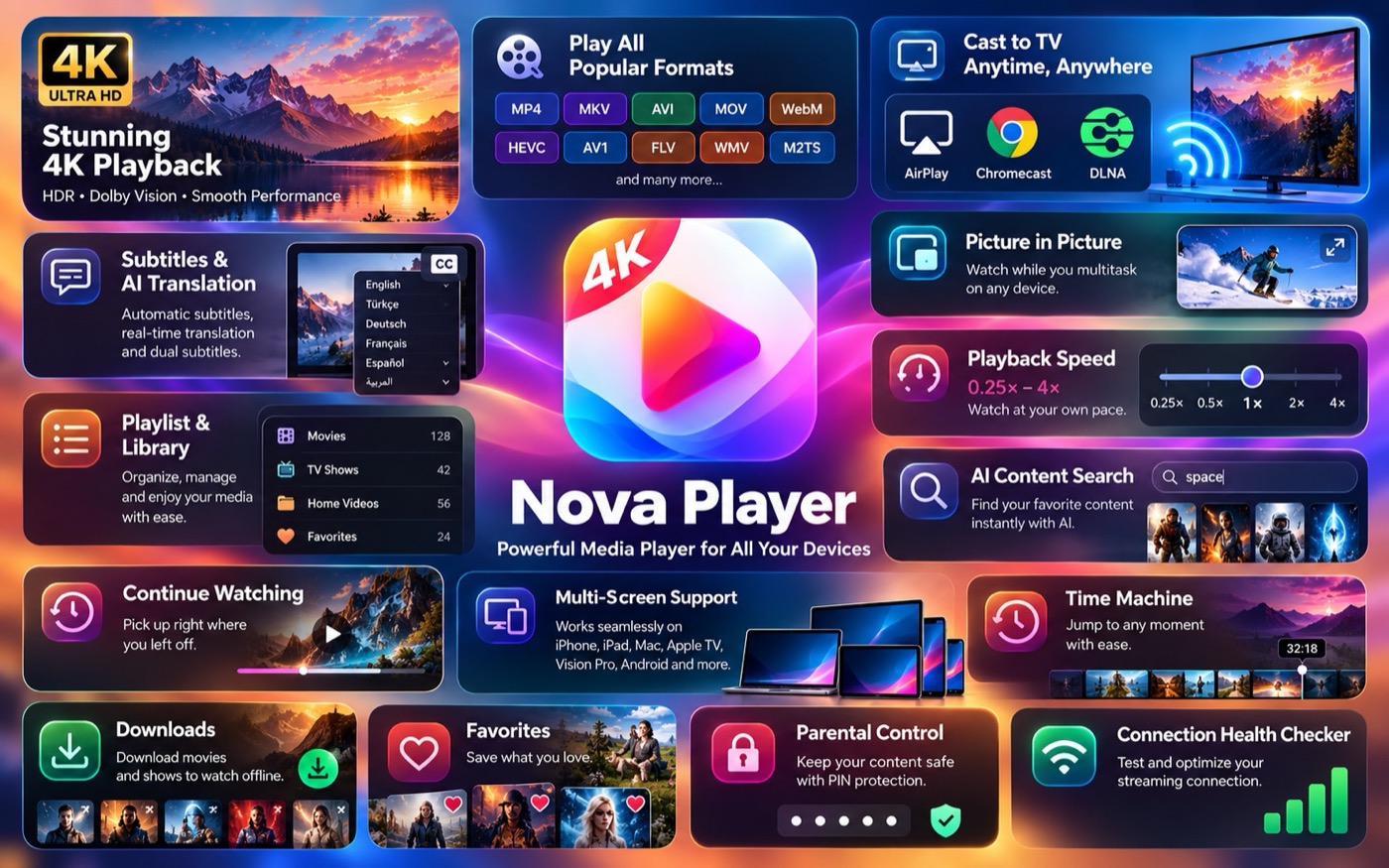
An overview of Nova Player features including 4K playback, formats, casting, picture in picture, playback speed and AI search.
  • Files never leave your Mac unless an AI feature you chose requires it
  • Nova shows On Device or Cloud before anything is processed
  • Cloud providers receive only the audio, frames or transcript they need — never the whole file
  • Your own API keys are stored in the macOS Keychain and never logged
  • The casting server is local-network only and shuts down when you stop casting
  • All AI analysis data can be deleted in one click, media untouched

Play anything. Cast anywhere.
Understand everything.

Free to download and free to use. No account, no subscription, no advertising.

Requires macOS 13 Ventura or later. Apple silicon and Intel.

Nova Video Player is a DiscoverApp brand.